On this page
Help / Administration
Sort zones
Keep the list that decides which zone prints on each bag label.
For: OwnerA sort zone is a short code printed on each bag label, looked up from the delivery ZIP code. It lets the pharmacy sort bags into piles for each route at a glance. Use this page to add a ZIP, correct one, or replace the whole list.
Click Settings in the top bar, then Sort Zones. The list belongs to your business and applies to all of its pharmacies.
What prints on the label
The label shows the zone for the patient's ZIP code. If the ZIP is not on the list, the label prints ZONE UNKNOWN. The bag is still released and still goes out. It only means the technician has no zone to sort by.
Add or change one ZIP
- Under Add or change a ZIP, type the 5-digit ZIP.
- Type the Zone. It can be up to 8 characters.
- Click Save.
TotePath tells you what happened: ZIP 12345 added to zone A., ZIP 12345 is already in zone A., or ZIP 12345 moved from zone A to zone B. (These examples use made-up values.) Saving a ZIP that is already on the list moves it to the new zone.
To change a row in the list, click Change on it, which loads it into the form. To delete a row, click Remove and confirm. Labels for that ZIP then say ZONE UNKNOWN.
Find a ZIP
Above the table, type in Find a ZIP… to search by the start of a ZIP, or pick one zone from the zone list. The summary shows how many ZIPs are in how many zones.
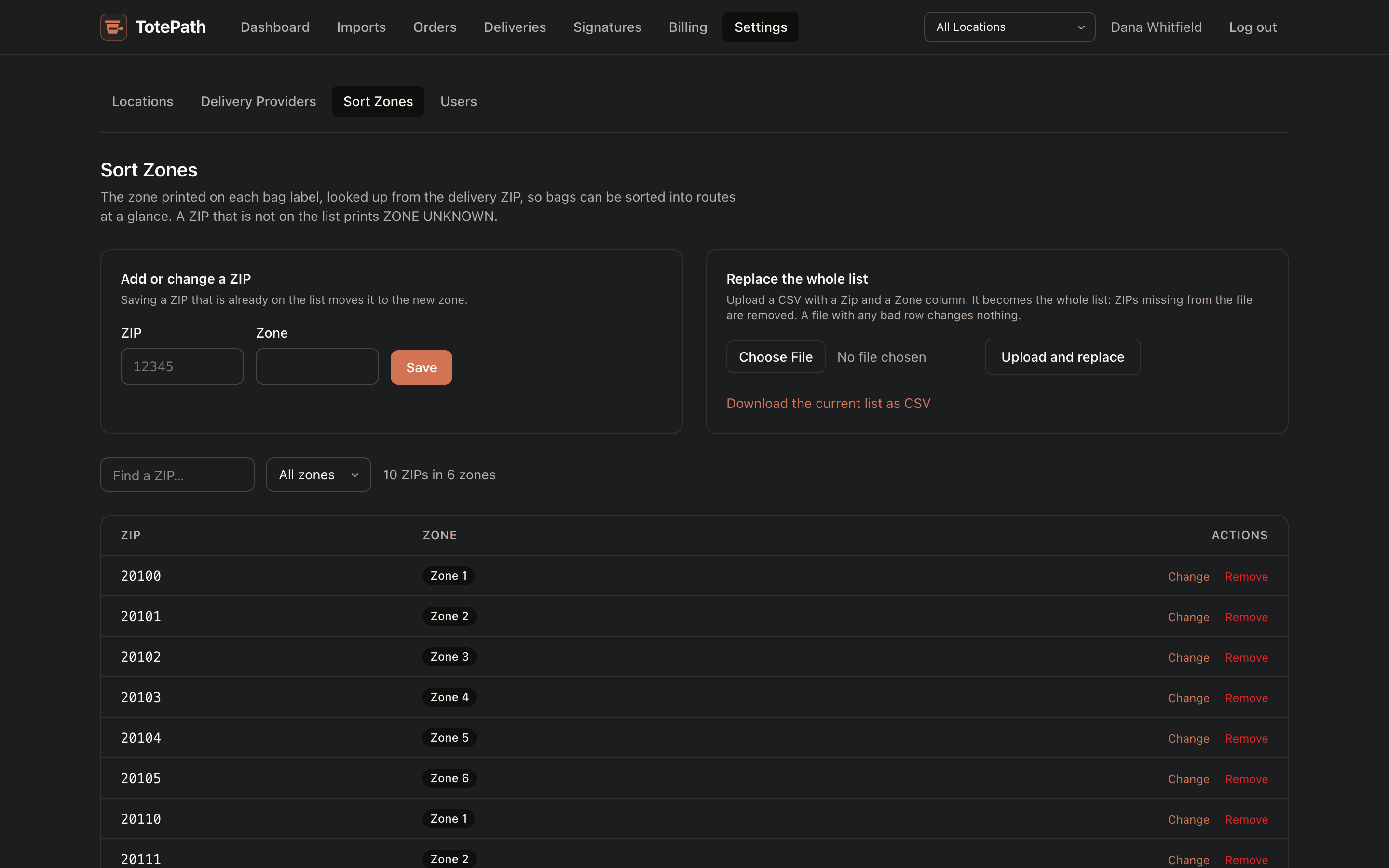
Replace the whole list with a CSV file
Use this to load or update many ZIPs at once.
- Click Download the current list as CSV to get a starting point. The file has two columns, Zip and Zone.
- Edit it in a spreadsheet. Keep the header row naming Zip and Zone.
- Under Replace the whole list, choose the file and click Upload and replace. The file must be a .csv of 1 MB or less.
- Confirm the warning.
TotePath replaces the entire list with the file. ZIPs that are not in the file are removed. On success it says how many ZIPs in how many zones were loaded and how many were removed.
If something goes wrong
- A label says ZONE UNKNOWN. The ZIP is not on the list. Add it.
- The page says to pick a tenant. That message is for TotePath staff who work across businesses. An owner sees their own list directly.
- The upload says the first row must name a Zip and a Zone column. Check the header row spelling.